How Companies Can Manage Thousands of Android Devices Without Touching Each Device
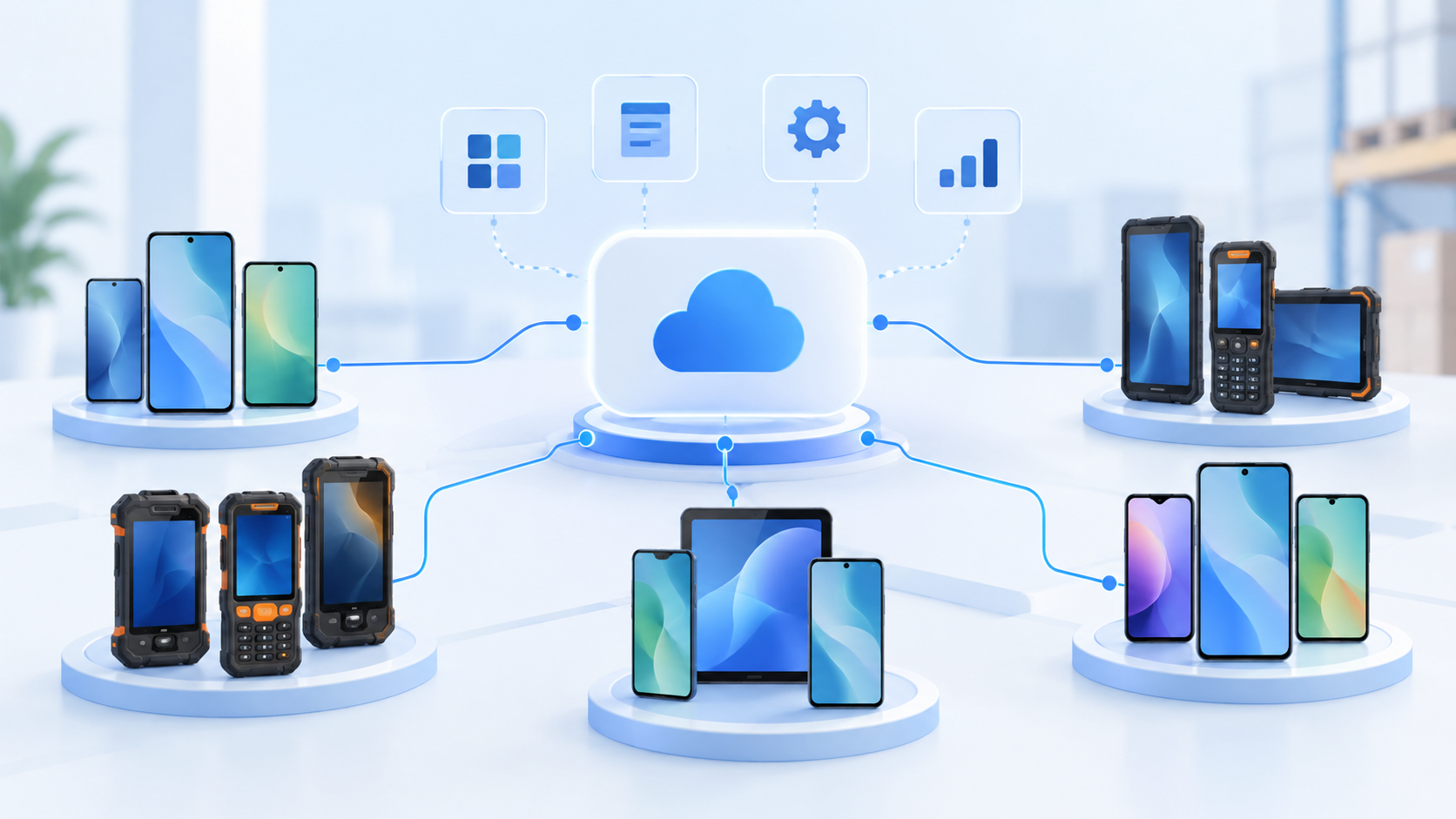
As businesses expand their operations, the number of Android devices used by employees can quickly grow from a few dozen to hundreds or even thousands.
Sales teams may use smartphones to access customer information. Field workers may rely on mobile devices to complete daily tasks. Logistics teams may use dedicated devices for deliveries and operations, while retail businesses may deploy Android devices across multiple locations.
Managing these devices individually may still be practical when there are only a few of them. However, as the device fleet grows, manual management becomes increasingly time-consuming and harder to maintain consistently.
So, how can organizations manage hundreds or thousands of Android devices without having to manage each device individually?
Why Managing Devices at Scale Is Challenging
Imagine a company with 10 Android devices.
An IT administrator can configure them manually, install the required applications, and troubleshoot problems when they occur.
Now imagine the same company has:
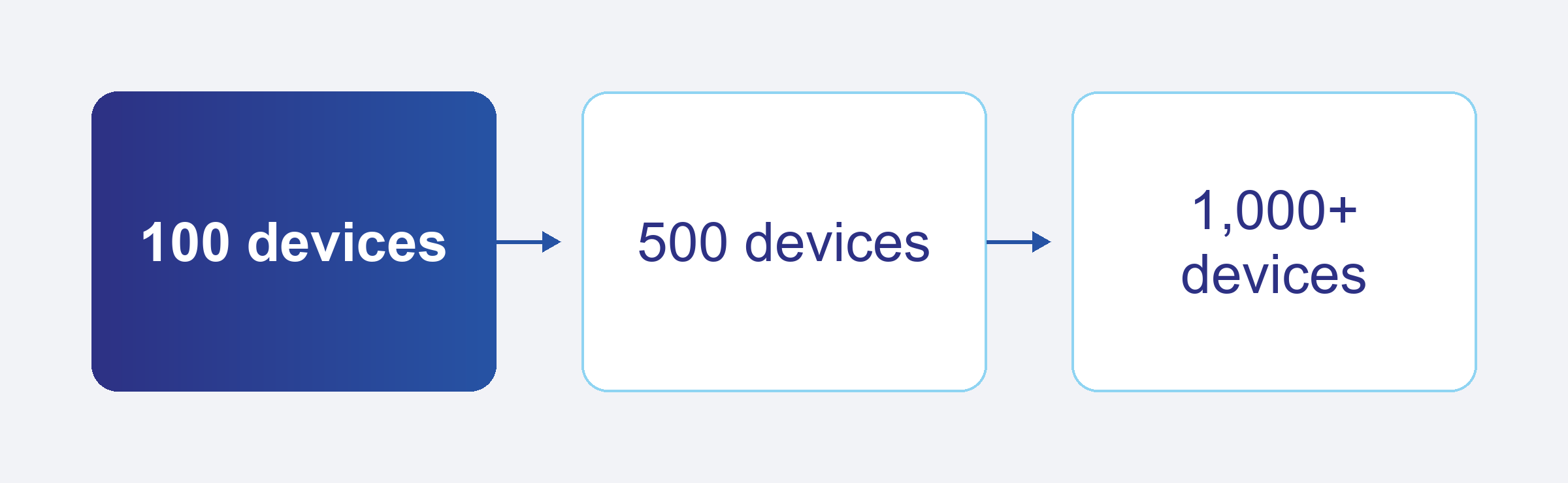
The traditional approach quickly becomes impractical.
Every configuration change may require IT intervention. Installing or updating an application across hundreds of devices can take significant time. When a device has a problem, the IT team may need to contact the employee or wait until the device is physically available.
This creates several challenges:
- How can IT apply the same configuration across all devices?
- How can applications be deployed without manually installing them?
- How can devices be organized and managed according to their roles or locations?
- How can IT monitor device status centrally?
- How can common problems be investigated remotely?
- How can devices be managed throughout their entire lifecycle?
Without centralized management, the number of devices can directly increase the operational workload for IT teams.
Centralized Management Changes the Approach
Instead of treating every device as a separate management task, organizations can manage Android devices from a centralized platform.
The basic concept is simple:
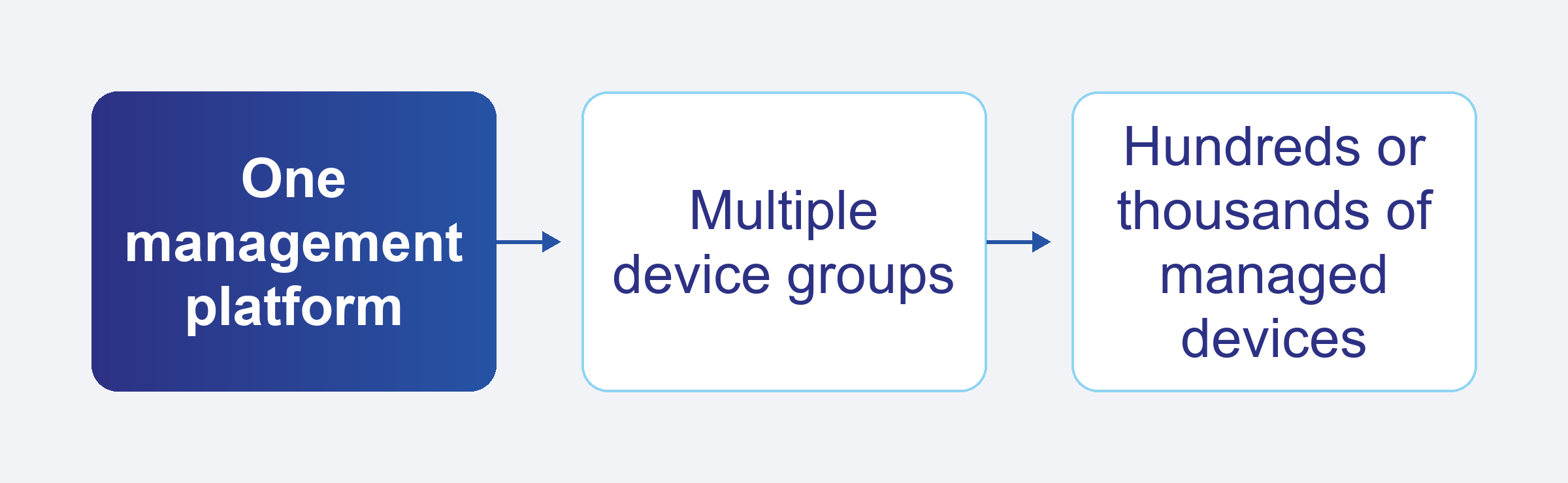
From a centralized console, IT administrators can manage policies, applications, configurations, and device information without managing each device individually.
This allows organizations to move from device-by-device management to policy-based management at scale.
1. Centralized Device Management
A centralized management platform gives IT teams a single place to view and manage their Android device fleet.
Instead of maintaining separate records or manually configuring individual devices, administrators can manage devices through predefined policies and centralized controls.
This becomes particularly important for organizations with distributed teams, where devices may be located across different cities, branches, stores, or operational sites.
For example, a company with 1,000 field employees may not have an IT administrator physically located near every employee. Centralized device management allows the IT team to manage the fleet centrally.
2. Organize Devices into Groups
Not every Android device needs the same configuration.
A sales representative may require a different set of applications from a warehouse employee. Devices used in one branch may also require different settings from devices used in another location.
Device grouping allows organizations to organize devices based on factors such as:
- Department
- Employee role
- Location
- Business unit
- Device type
- Operational purpose
For example:
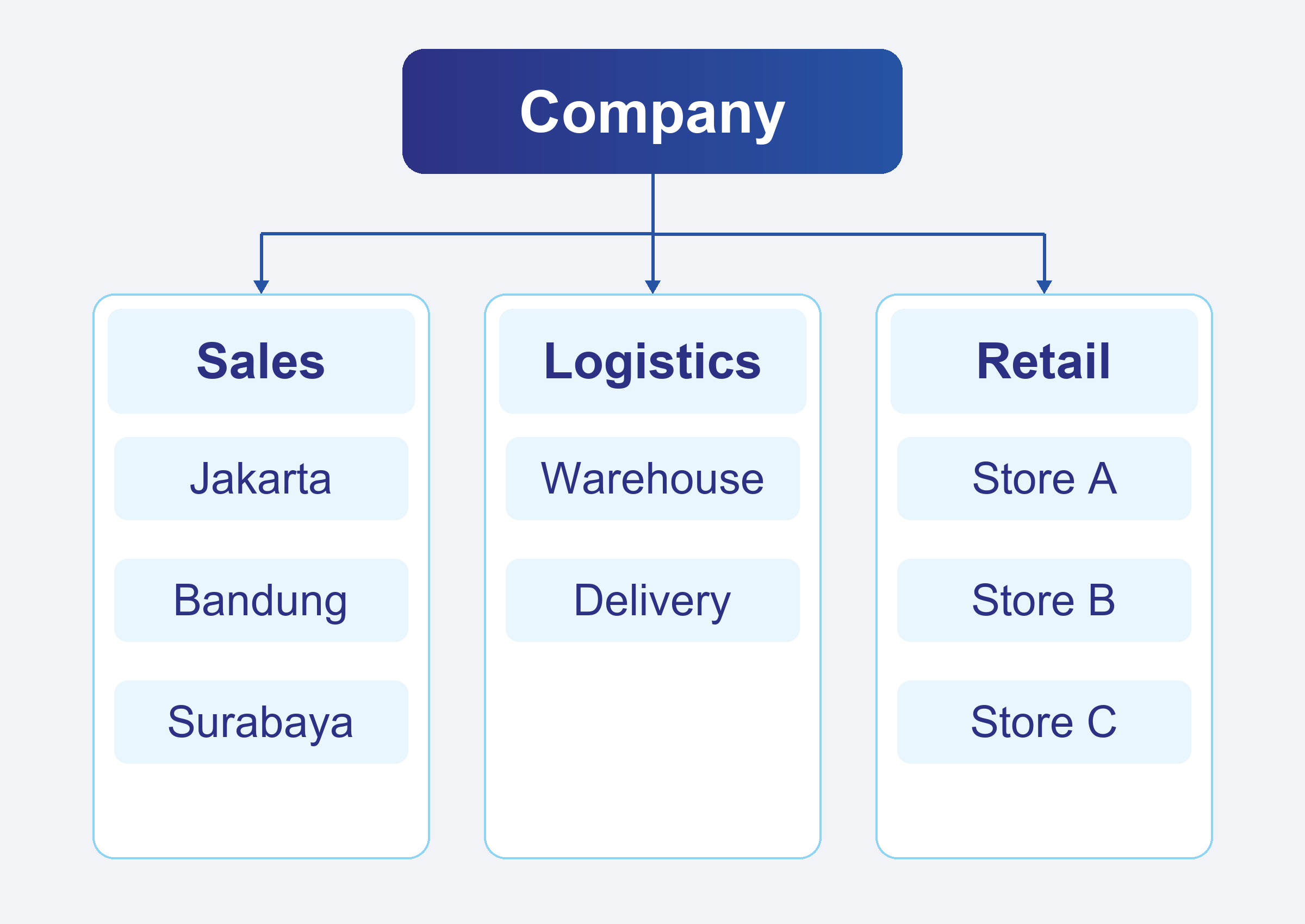
Instead of configuring every device individually, administrators can apply the appropriate policies to a group.
This reduces repetitive work and helps maintain consistency across the device fleet.
3. Apply Configurations Without Physically Accessing Devices
Organizations often need to maintain consistent device configurations.
For example, a company may require certain security settings, system configurations, or restrictions across corporate devices.
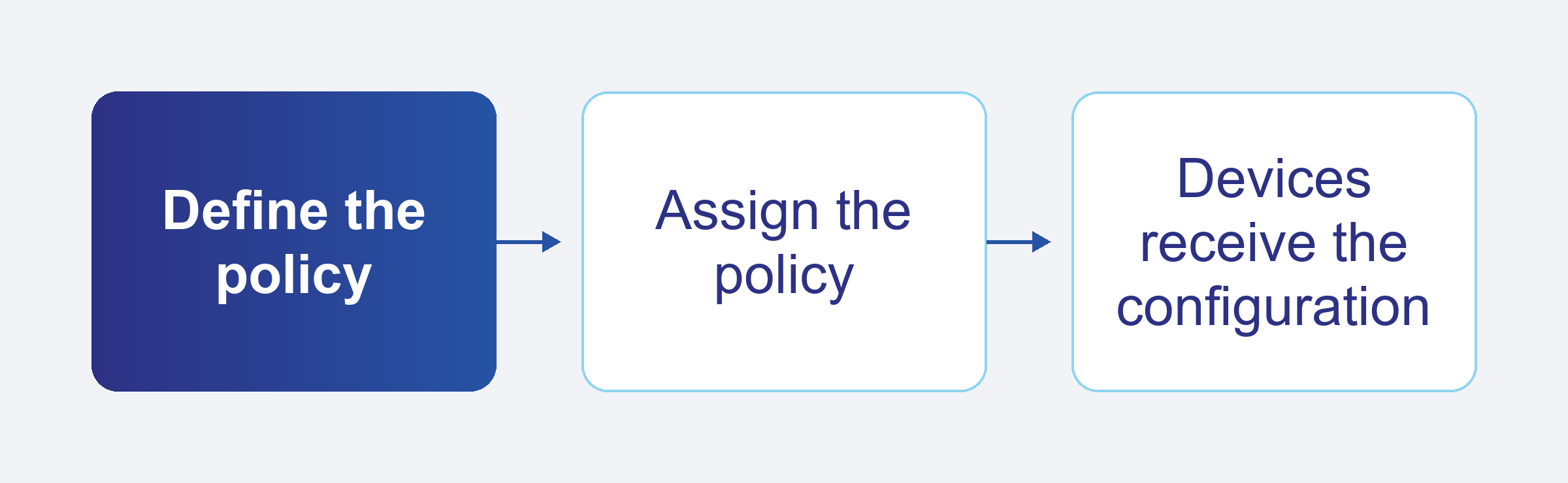
With centralized device management, administrators can define the required configuration once and apply it to the relevant devices or groups.
This means IT does not necessarily need to contact every employee or collect every device whenever a configuration needs to be updated.
The management process becomes more scalable:
4. Deploy and Manage Applications Remotely
Applications deployment and management can also become more complex as the device fleet grows.
Consider a company that needs to deploy the same application to 500 Android devices.
Manually installing the application on every device would require significant time and coordination.
With centralized application management, IT teams can deploy required applications to selected devices or groups.
Applications can be managed according to business requirements, such as:
- Which applications should be installed
- Which devices should receive an application
- Which applications should be restricted
- Which applications need to be updated
For example, a logistics company could deploy its delivery application to every device assigned to delivery personnel without requiring IT staff to physically configure each device.
5. Monitor Devices from a Centralized Console
Managing devices is not only about configuration.
IT teams also need visibility into the current state of their device fleet.
A centralized management platform can provide information about managed devices, allowing administrators to identify devices that may require attention.
Instead of waiting for employees to report every problem, IT teams can use centralized device information to investigate device conditions and identify potential issues.
For organizations managing hundreds or thousands of devices, this visibility can day-to-day operations for IT teams more effectively.
6. Troubleshoot Devices Remotely
When an employee experiences a problem with a company-managed device, the IT team may not have physical access to the device.
This is especially common for:
- Field workers
- Sales representatives
- Delivery personnel
- Remote employees
- Employees working across multiple branches
Remote troubleshooting capabilities can help IT teams investigate device issues without requiring the employee to bring the device to the IT department.
For example:
A field employee reports that a corporate application is not working correctly.
Instead of immediately asking the employee to return the device, IT can first investigate the device remotely and determine whether the issue is related to the application, configuration, connectivity, or device state.
This can reduce downtime and minimize unnecessary physical intervention.
7. Manage the Entire Device Lifecycle
Device management extends beyond day-to-day configuration and troubleshooting.
Organizations need to manage devices throughout their entire lifecycle.
A typical lifecycle may look like:
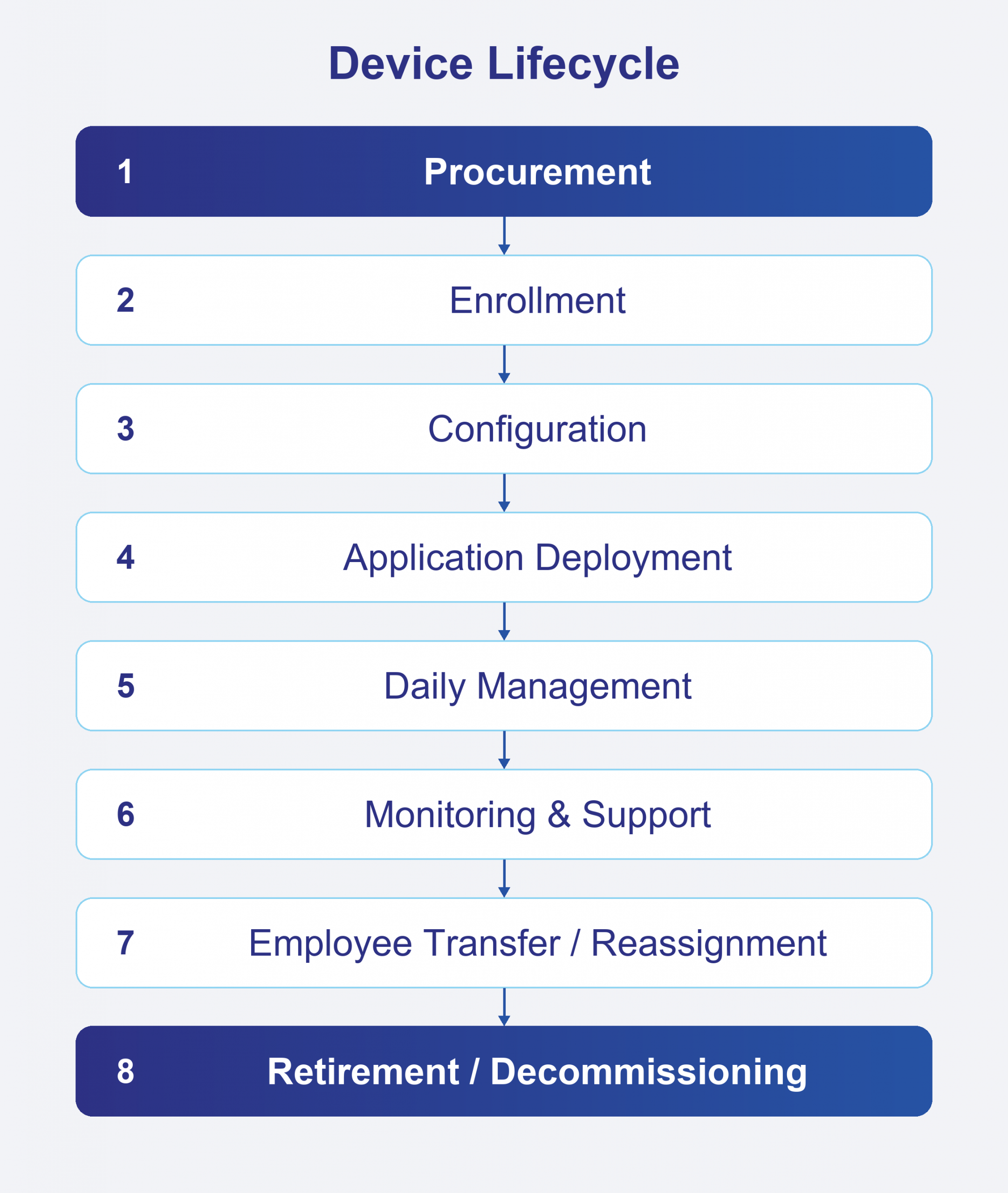
A centralized management platform can help organizations maintain control throughout these stages.
For example, when an employee leaves the company, the device can be removed from the employee’s assignment and prepared for reassignment or retirement according to company policy.
This is especially important for organizations with a large number of shared or frequently reassigned devices.
Where Vanguard Fits In
An UEM platform such as Vanguard can support this centralized approach.
Instead of managing Android devices individually, organizations can use Vanguard to centralize device management and apply policies across their device fleet.
Depending on the organization’s operational requirements, Vanguard can support management scenarios such as:
- Centralized device management for managing Android devices from a single platform
- Device grouping to organize devices according to business requirements
- Configuration management to apply consistent settings and policies
- Application management to manage required applications across devices
- Device monitoring to provide centralized visibility
- Remote management and troubleshooting to help IT investigate device issues without physical access
- Device lifecycle management from enrollment through retirement
The result is a management model that scales with the organization.
Instead of:
1 device = 1 manual IT task
organizations can move toward:
1 policy = many managed devices
A Practical Example
Consider a logistics company with 1,000 Android devices distributed among delivery personnel across several cities.
Without centralized management, the IT team may need to:
- Configure devices individually
- Install applications manually
- Contact employees when applications need to be updated
- Track device information separately
- Troubleshoot devices through phone calls or physical visits
As the device fleet grows, these tasks become increasingly difficult to maintain.
With centralized device management, the company can organize its devices into groups, assign the appropriate policies, deploy required applications, monitor device information, and remotely investigate issues.
For example:
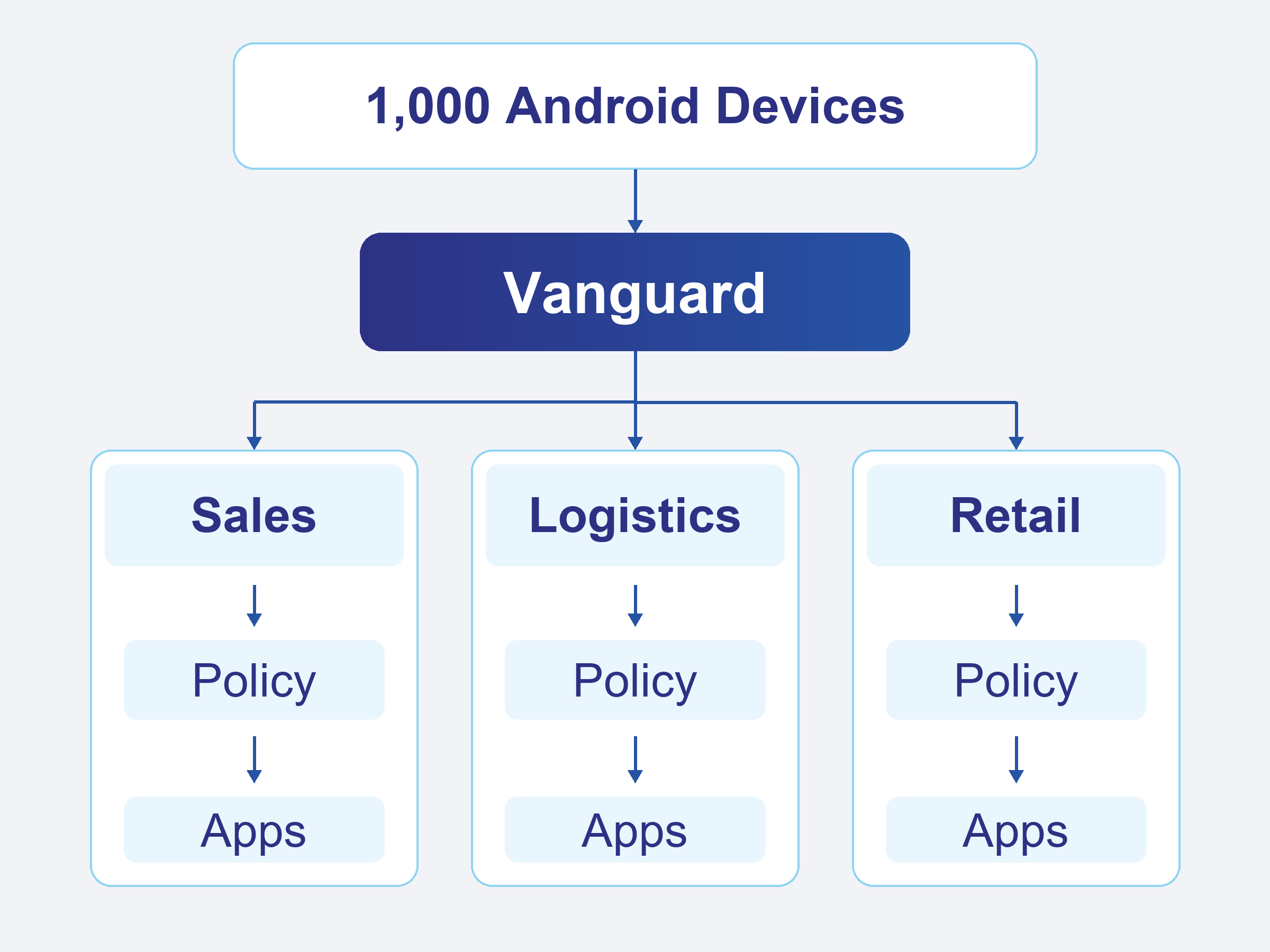
The IT team does not need to physically visit every location just to apply routine changes.
Scaling Device Management Without Scaling Manual Work
The challenge of managing thousands of Android devices is not simply about the number of devices.
It is about whether the organization’s management process can scale with that number.
A process that works for 10 devices may become inefficient at 100 devices and impractical at 1,000.
Centralized device management helps organizations replace repetitive, device-by-device operations with policies, groups, and centralized visibility.
For organizations with distributed Android devices, this can make device management more consistent, efficient, and scalable.